


Illustration by Jennifer Tapias Derch
People expect a lot from ecommerce businesses today. Whether that's the expectation of two-day shipping—thanks to Amazon or free return shipping—care of Zappos, consumers want similar experiences no matter the size of the retailer. Even mom and pop shops are held to these same standards and need to improve their ecommerce logistics and fulfillment approaches to keep up.
The demand for warehouses continues to increase as online orders are forecast to reach 26% of all retail orders by 2025. To keep pace with this change in consumer behavior, the US needs to add 330 million square feet of new warehousing and distribution space. Record-breaking warehouse construction in 2022 is keeping up with demand and 546.1 million square feet of new warehousing and distribution space has been built. That doesn't include the additional 582.5 million square feet of warehouses currently under construction in the US.
How do you keep track of stock scattered across these mega warehouses?
A warehouse management system (WMS) helps ecommerce businesses scale its fulfillment operations and take on more orders, faster—all without compromising on delivery speed or order accuracy.
This guide shares the benefits of using a WMS, info on choosing the right one, and eight options to choose from.
Growing Fast: How CISE & HERO Cosmetics Scaled Order Management & Delivery
Watch the webinarWhat is a warehouse management system?
A warehouse management system is software built to support and optimize warehouse and distribution operations. Retailers use this automated technology to make planning, organizing, staffing, and controlling available resources across the supply chain easier.
Every merchant—from ecommerce-only to brick-and-mortar hybrids—needs a warehouse management system to keep track of fulfillment operations. With one, you’ll be able to handle:
Returns
Turn what’s often referred to as a logistical nightmare into a streamlined, mostly automated process. Determine which items are damaged, need relabelling, or are ready to go back on the shelf. That data will be visible inside your WMS.
Warehouse logistics
Instead of written processes that warehouse staff need to remember, they can follow predetermined workflows inside your WMS. This can keep things consistent.
Integrations
Most WMS platforms integrate with other tools you’re already using, such as shipping solutions and your ecommerce site. With this functionality, there’s no manual back-and-forth data feeding (which can increase inaccuracies).
Reporting and forecasting
When will stock pass its sell-by date? Which bestsellers do you need a constant flow of inventory for? See all of that inside your WMS so you never have out-of-stock messages turning away potential customers.
WMS software acts as a central place for your operational processes in a warehouse or distribution center. It provides full visibility into your inventory levels and storage, staff productivity, demand forecasting, and retail fulfillment to improve return on investment.
Components of a good warehouse management system
A WMS has several key features, including :
Warehouse design systems, allowing you to set up the most efficient workflows.
Integration with inventory devices like radio-frequency identification (RFID) and bar-coding technologies.
Back-office integration with order entry, inventory control, and purchase order modules.
Real-time inventory tracking so you’re always up-to-date with stock movements.
Workforce management to help you allocate labor and monitor performance.
Support for multiple picking and packing methods and overviews of picking zones.
Compliance labeling and advanced shipping notices (ASNs) so you can manage the arrival of new inventory and keep things up to code.
Yard and dock management to help delivery partners find the right place to load and unload.
And in terms of usability, the system might also offer:
Scaling with your enterprise resource planning (ERP) system, if you’re a medium or large enterprise needing everything integrated.
Advanced reporting capabilities, giving you detailed analytics on what’s happening that you can share with the rest of the business.
Mobile-friendly design, so you’re not chained to a desk when using it.
Some are more extensive, and some are leaner. There are different options depending on your needs.
Best warehouse management software
1. Easyship
Best for cross-border brands scaling up
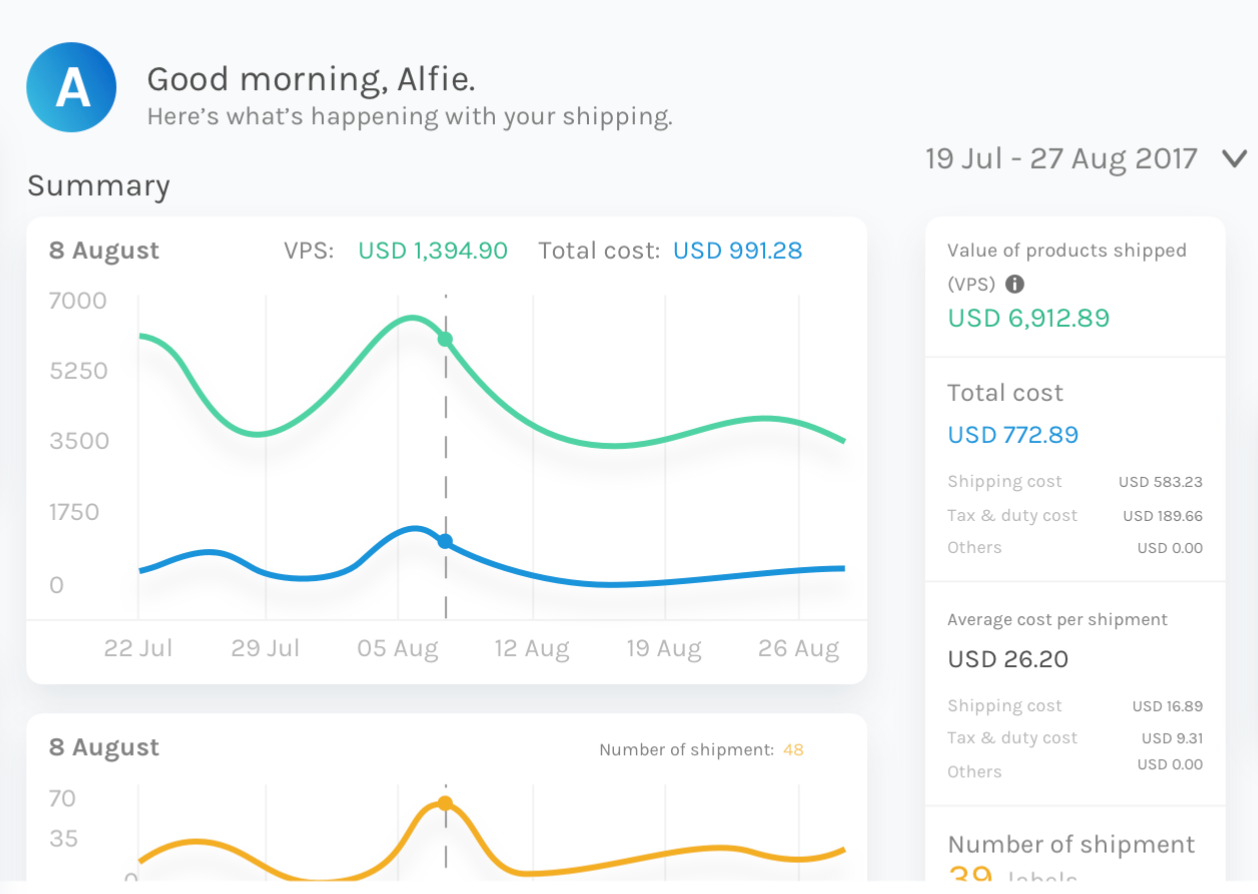
Easyship is a shipping vendor with warehouse management tools baked into its software. Merchants get discounted shipping rates from more than 50 global carriers, including DHL and UPS, giving customers real-time and accurate shipping pricing on the checkout page (and reducing cart abandonment).
Easyship also has a global network of warehouses and distribution centers. Store your inventory in its warehouses and view inventory stock levels through your Shopify dashboard.
Price: Free under 100 shipments/month.
2. ShipHero
Best for emerging, scaling, and high-volume brands
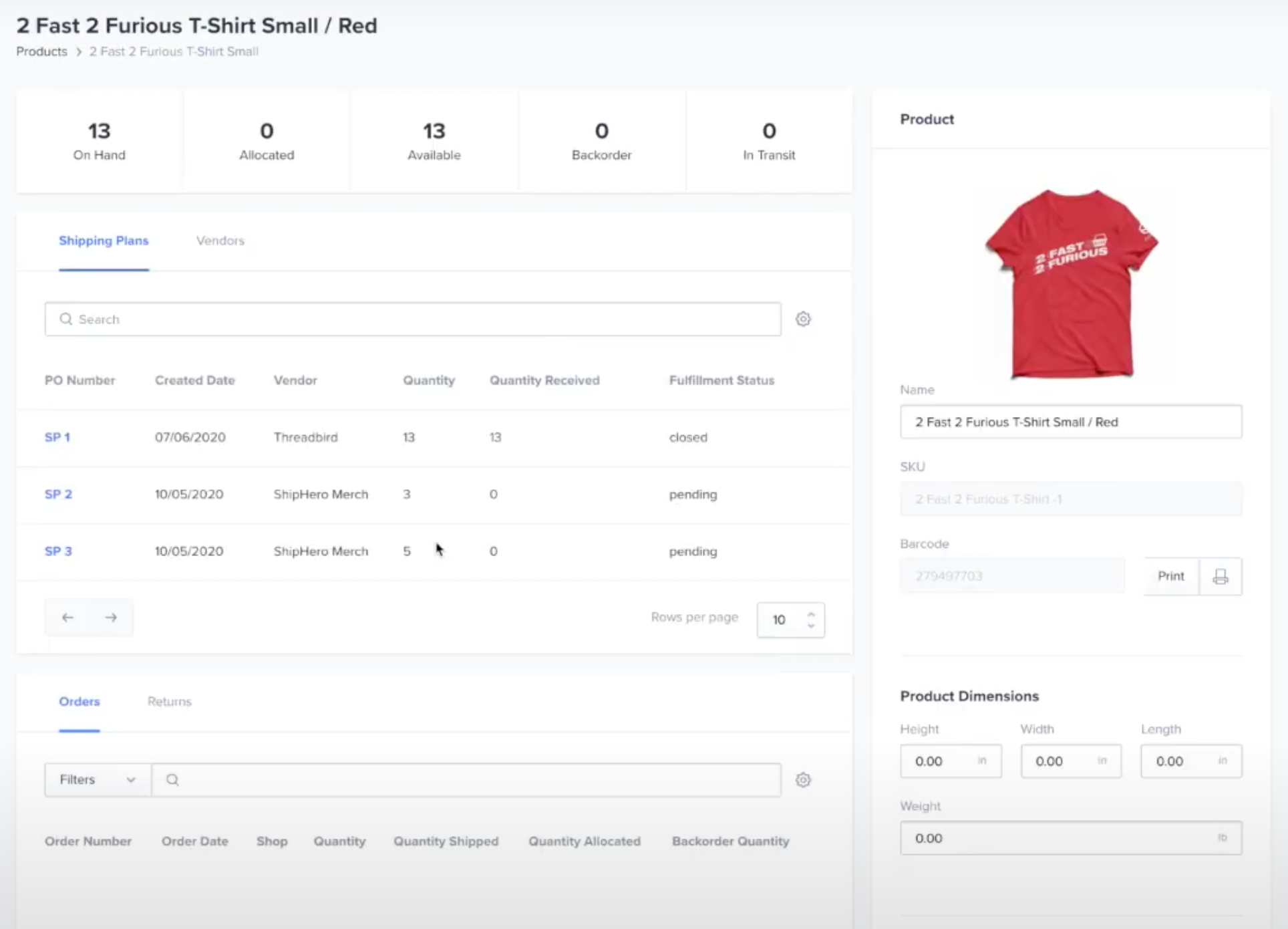
Do you have a multichannel retail strategy? If you’re selling products in pop-up shops, on your ecommerce site, or in a permanent brick-and-mortar store, ShipHero can track warehouse inventory across all selling channels.
Incoming orders are validated before being shipped from a ShipHero distribution center. You can also configure automation to save even more time and money, such as priority shipment for international orders.
ShipHero creates optimal routes throughout fulfillment—using national, regional, and local carriers—lowering your risk of delays and inefficiencies. And its new PostHero feature allows you to track packages across carriers, so you can analyze shipment performance after they’ve left the facility.
Price: $499/month basic, $1,850/month standard
3. Veeqo Inventory and Fulfilment
Best for multichannel brands selling products across different warehouses
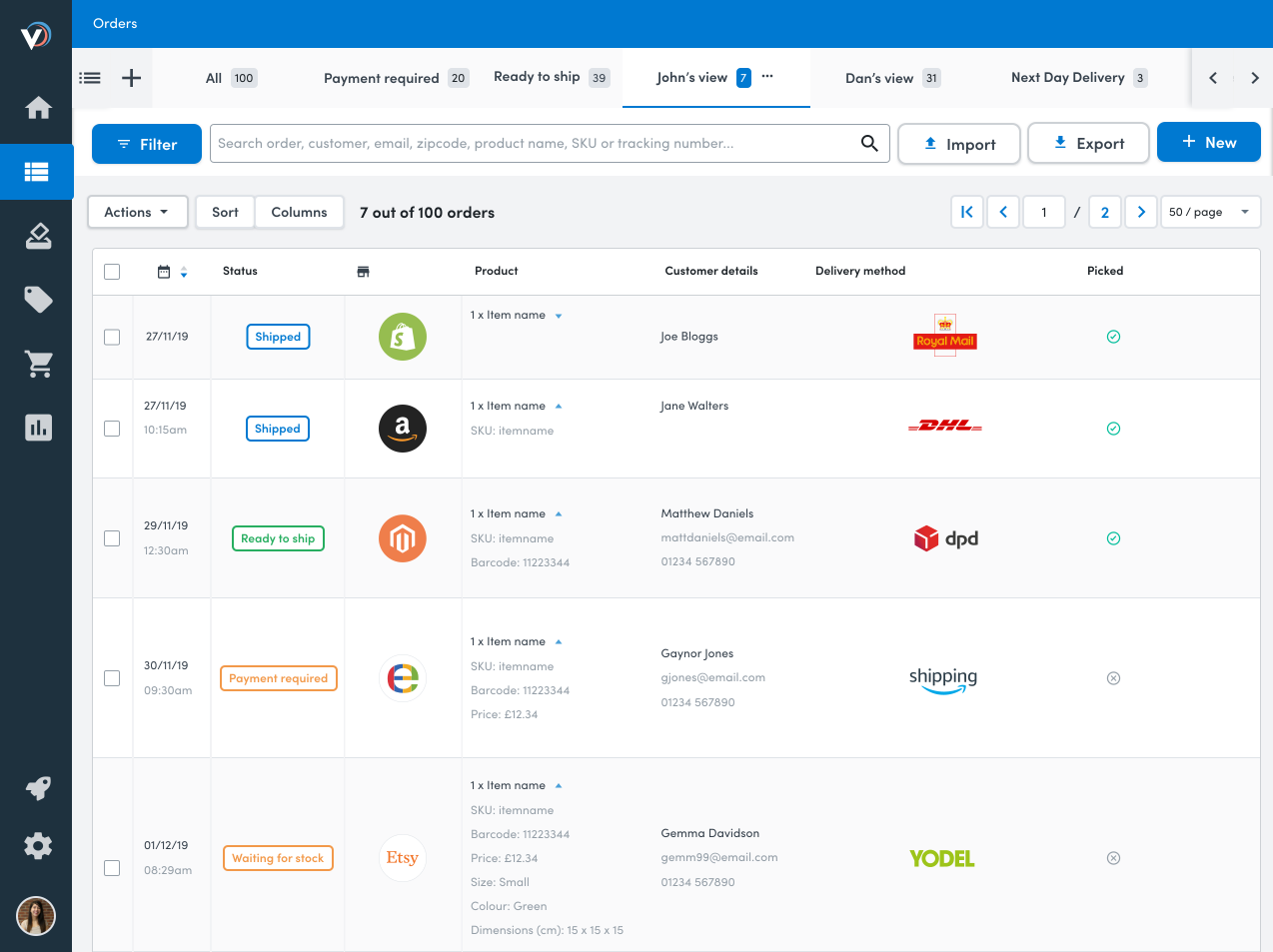
Veeqo is an order fulfillment platform that combines inventory across multiple platforms, including your Shopify ecommerce site and marketplaces like Amazon and Etsy.
Giving a single source of truth for the question “How much stock do we have of this SKU left?” Veeqo can also handle incoming returns and update stock levels accordingly. You’ll be able to automate tasks like warehouse stock routing, shipping rules, and order status.
Veeqo offers an extensive suite of reporting tools, making your forecasting easier and more accurate. It can help you predict supply issues, see which items are likely to run out of stock, and better understand demand during sales periods.
Price: $255/month for 500 orders on the High-Growth plan
4. Blue Yonder Warehouse Management
Best for warehouses with robots looking for resource orchestration
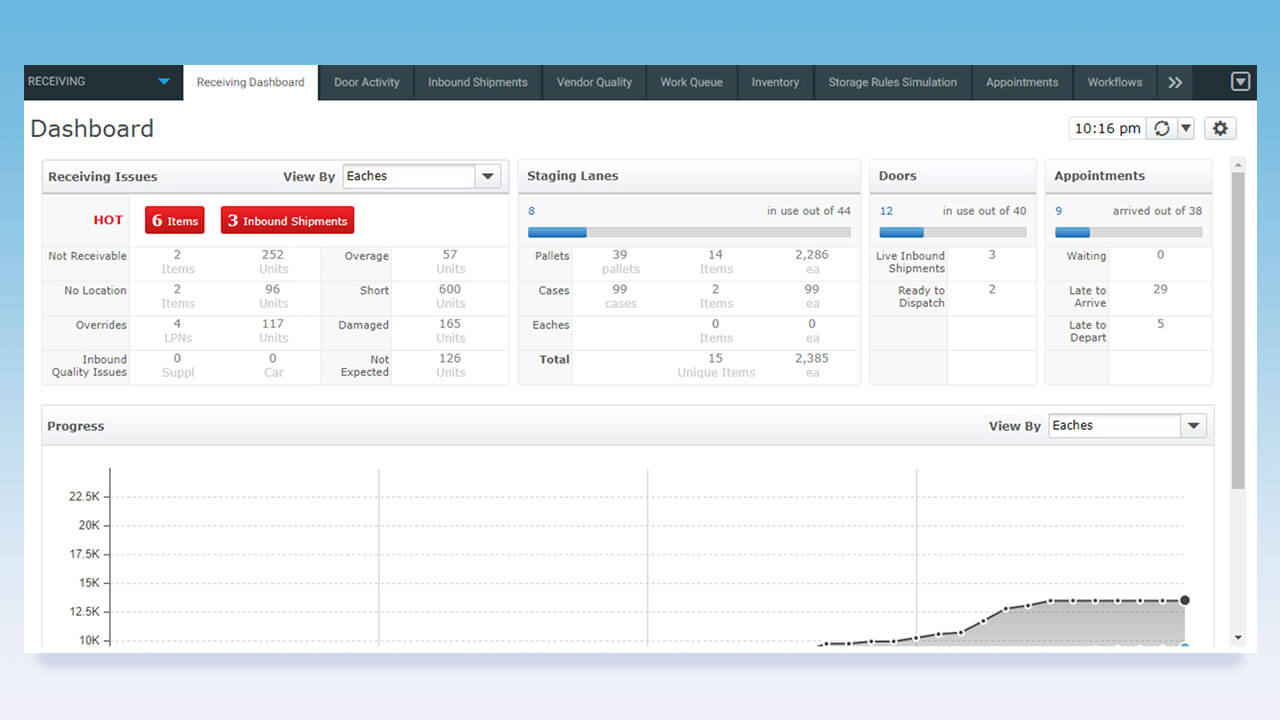
BlueYonder is an enterprise-level WMS designed for large operations like retail grocery, high-tech, and hardline retailers. It has a huge range of management and optimization options for warehouse logistics operating at a national scale.
BlueYonder offers typical WMS services like ecommerce fulfillment, shipping, and inventory management. But there’s also a powerful suite of tools for more advanced users, like unified yard management (overseeing equipment, dock doors, and personnel) and resource orchestration (managing the flow of labor tasks, scheduling, and automation). It’s all about optimizing throughput for each order to make serious gains for your operation as a whole.
Price: Available on request
5. Oracle Warehouse Management
Best for consumer goods, manufacturing, and wholesale suppliers
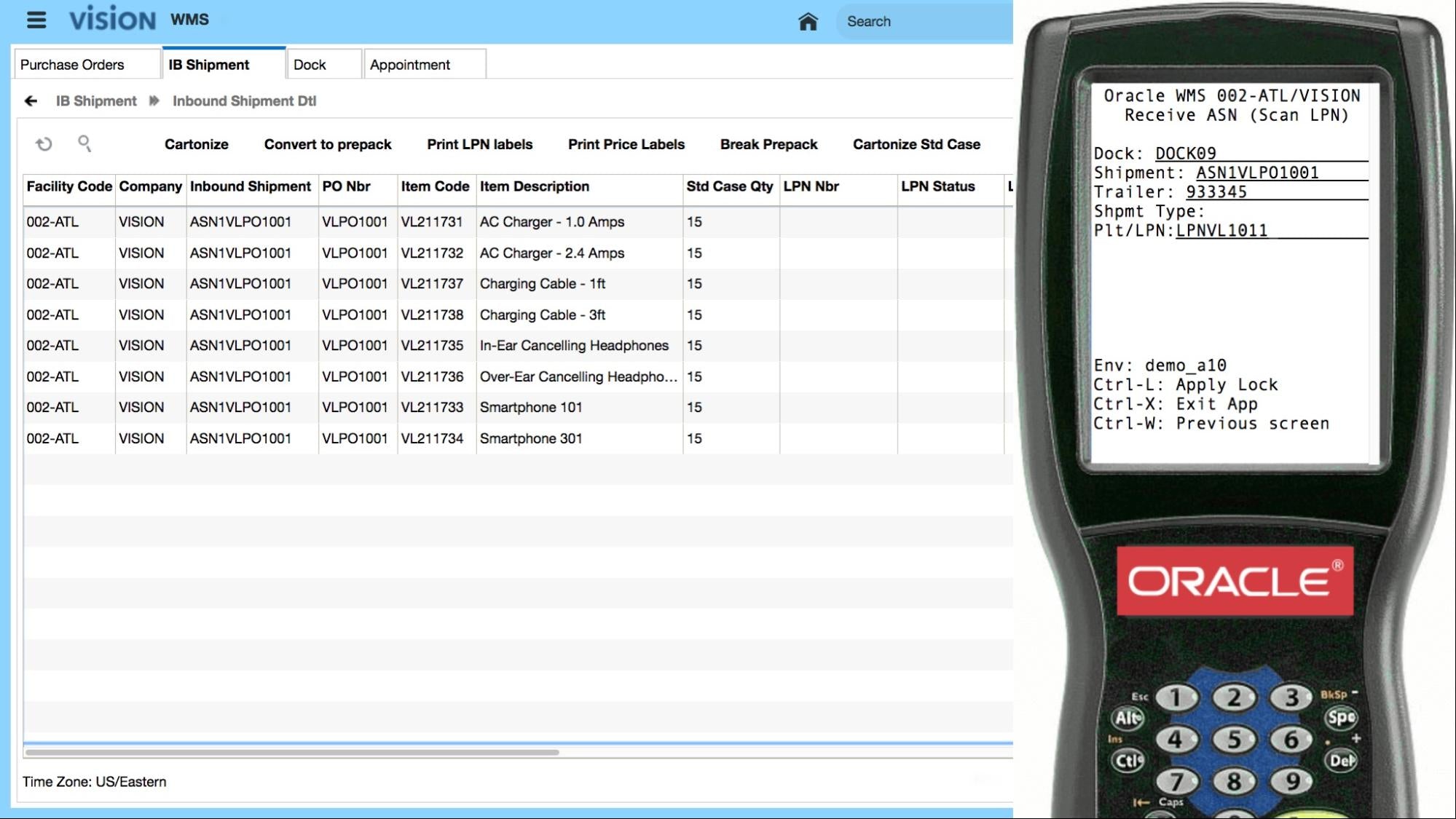
Oracle Warehouse Management plugs into warehouses handling a wide range of material types, covering a large variety of products. You can use it to manage inventory across multiple distribution centers and yards, enabling customers to buy and return anywhere through omnichannel fulfillment.
It’s cloud based and integrates nicely with Oracle’s enterprise suite of supply chain management solutions. That makes it an enterprise-level solution for brands with a lot of moving parts, but it’s flexible enough to transform a site of any size into a fulfillment center—whether it’s a warehouse, distribution center, storefront, kiosk, or garage. Oracle WMS does deal with DTC orders, though, so don’t count it out if you’re not a huge brand—it could still be a feasible option.
Price: Available on request
6. Körber
Best for large brands with hybrid distribution between store and warehouse

Körber is an enterprise-oriented, cloud-based WMS that’s highly customizable. Its features include receiving, putaway/flow-through, inventory management, order processing, replenishment, pick/pack, and loading and shipping.
Brands with multiple warehouses benefit from the software with increased efficiency, reduced labor costs, and a more streamlined flow of merchandise. The software sits alongside the company’s vast range of warehouse management services.
Price: Available on request
7. SAP Extended Warehouse Management
Best for brands shipping a high volume of goods each month
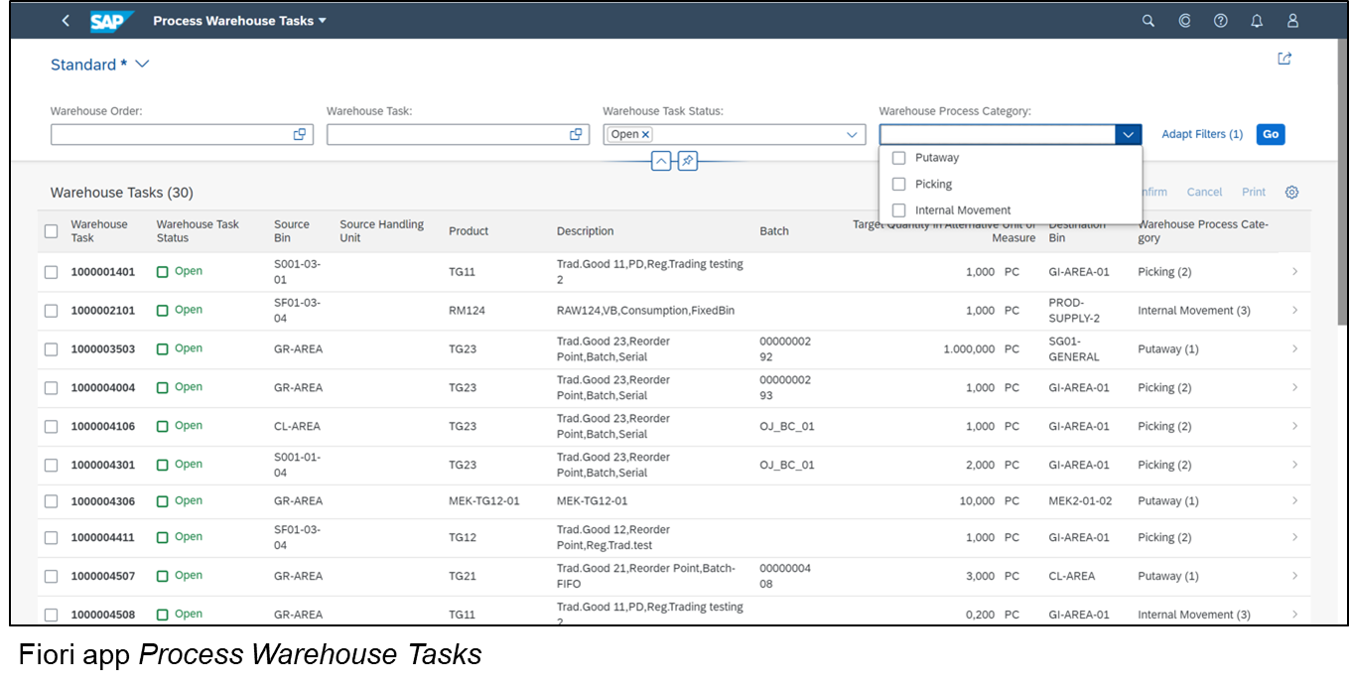
SAP Extended Warehouse Management is a WMS that can be deployed on-site or in the cloud. It offers direct control of warehouse automation equipment, highly detailed analytics, and tons of integrations.
It’s aimed at large-volume brands that want to optimize the throughput of their warehouse while automating workflows. You’ll get the standard order management features alongside powerful tech integration for busy operations. If your supply chain logistics are quite complicated, this could be the best tool to bring it all together in one system.
Price: $4,047/month for 5,000 items
8. Mecalux Easy WMS
Best for warehouse operators with specific material requirements
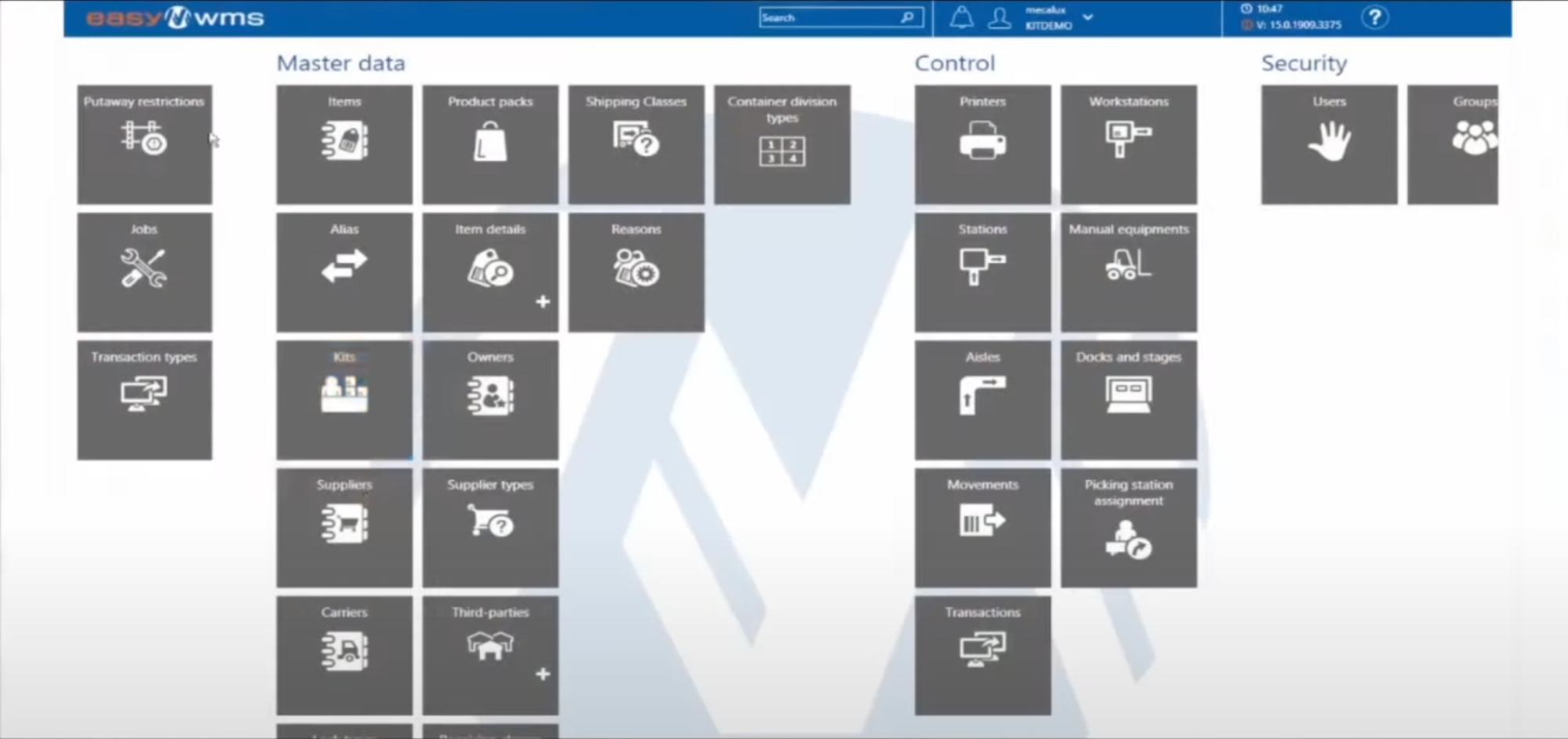
Mecalux Easy WMS is a flexible WMS designed for warehouses of any size. The company offers lots of physical warehouse and storage design, and the software can work as an extension of that.
It could be useful if you’re interested in custom designs for your warehouse operation, like if you’ve got really specific material requirements for moving goods around. Having custom software—which can be cloud-based or locally deployed—could be your best option in this case.
Price: Available on request
Benefits of warehouse management systems
Improve inventory accuracy
Managing inventory is one of the trickiest things about running a retail operation. Too much stock could pass its sell-by date; too little stock and “product unavailable” messages drive potential customers away.
Inventory shrinkage happens when you have less physical stock than your accounting sheets show. According to the National Retail Federation, inventory shrinkage costs businesses about $94.5 billion per year.
WMS software uncovers exactly how much inventory is stored, in real time. You’ll scan barcodes of new inventory and the retrieval of each unit picked in an order. This helps prevent inventory shrinkage.
Warehouse management systems also provide advanced order analytics so you can:
Understand which states you ship to most
See which orders haven’t been delivered
See inventory on hand
Check historical stock levels at any time
See how many days left until a SKU is out of stock
Handle order replenishment based on stock availability
Manage order allocation to international warehouses or distributors
Understand average cart values and shipping costs
Determine where you can save on shipping
Streamlined logistics
Long gone is the era of five-day shipping. The rise of Amazon means customers expect to get their orders fast.
So, what does fast look like? The vast majority (97%) of consumers consider same-day shipping fast, while 95% consider next-day fast. Either way, one thing is clear: items need to turn up at your customers’ doorsteps within 24 hours to be considered gold standard.
Want to offer two-day shipping or less? A WMS can determine shipping times with precision. Customers see accurate shipping estimates for their home address, with no awkward, “Hey, your order is running late because you’re further away than usual” emails necessary.
Plus, most providers have relationships with third-party logistics providers. You can lean on their high order volumes to promise customers fast, free delivery anywhere.
Watch: 3 Signs You Need a Third Party Logistics Provider
Improve order efficiency
A warehouse management system integrates with your ecommerce platform so you can keep your stock updated. No worrying about customers placing an order for out-of-stock items. Fewer errors around inventory equals faster fulfillment times and greater accuracy.
This has a domino effect on inventory costs, too. Reducing stockouts and overstocks can lower inventory costs by as much as 10%.
Other WMS software use cases to improve order efficiency and accuracy include:
Assign pickers optimized routes
Open additional fulfillment centers to cut down on shipping times
Improve packing processes
Lower labor costs
Productivity gains make up for the expensive WMS price tag. A WMS reduces the cost of labor for recounting inventory or repackaging products. The mostly automated system frees up time for staff to complete other more strategic tasks.
Plus, the warehouse operates more efficiently when order counts are accurate and orders are packed and shipped effectively. There’s less chance of returns eating into revenue. Plus, since order accuracy is higher, you’ll improve customer satisfaction. That makes a WMS system more cost effective than labor management.
Types of warehouse management systems
Standalone WMS
Standalone WMS are usually on-premise systems deployed on an organization’s native network. They’re only used for warehouse management features. While it’s the most affordable type of WMS, it lacks many of the features of an integrated software solution.
It can be combined with existing solutions, but it's often sold as a one-off product without any other supply chain functions.
Standard features include:
Bar code scanning
Cycle counting
Slotting
Putaway
Expiration date tracking
Packing
Receiving
Shipping
Cross-docking
The biggest benefit of using a standalone WMS is you’re in complete control of inventory.
However, a standalone WMS doesn’t cover other types of supply chain operations. Other systems will offer transportation management functions, such as integration with shipment tracking systems with major carriers.
As a basic warehouse management system, it’s a good solution for small businesses or those who don’t have much software budget. It can also be used as inventory management systems for small and medium businesses (SMBs).
Integrated with ERP
A powerful way to improve ecommerce logistics is combining your WMS with other tools. It’s a good option for businesses looking to upgrade their software to a larger scale. It can help organizations gain a competitive edge and improve ROI.
Enterprise resource planning is software used to manage an organization’s resources. It gives you a view of all software applications, such as human resources, sales and marketing, finance and accounting, tracking inventory, and CRM.
Some ERP vendors, like SAP and Oracle, offer WMS modules built into their systems.
It’s more expensive, but an ERP can replace all existing software and centralize logistics into one interface. If you don’t like your existing software and want to bring them into one system, you can do so with ERP software.
This type of WMS is different from standalone because it provides warehouse management along with more broad capabilities. Decide if you want to invest in a special WMS or if you’d benefit from an ERP system. It depends on your business’s needs, size, goals, and existing tech stack.
Supply chain management modules
Supply chain management (SCM) software is much broader than integrated or standalone. It typically comes in the form of a supply chain management system, with a subset for warehouse management. It’s used to manage various aspects of the supply chain in one place.
Similar to a standalone WMS, you’ll get an overview of how your warehouse functions. However, the main difference with SCM is that you can manage your entire supply chain in one tool.
The goal is to automate inventory management, product cycles, sourcing of materials, and other common warehousing tasks. It can also assess risks and manage vendor relationships.
With its extra features and scalability, it should come as no surprise—this type of WMS can be expensive. In addition, you’ll need to consider the costs of installation and maintenance. And, if you’re using a SaaS solution, you’ll also need to consider how the software integrates with your existing system.
To use an SCM as a WMS system, your business will have to invest and integrate new software.
How to choose a warehouse management system
If you’re finding your warehouse isn’t as productive as you would like it to be, here are the four steps to choose a WMS solution.
Evaluate your current system
Collect team needs
Find and evaluate vendors
Choose
1. Evaluate your current system
Whatever issues you're running into now, adding a new technology to your warehouse processes won’t solve all your problems.
Instead, look at what changes need to be made in your current system. What’s working? What isn’t? How are inaccuracies negatively affecting your organization? Use this information to decide on a WMS.
Ask team members what they find frustrating about the job. Zero in on redundancies and inefficiencies to see where improvement is necessary.
For example, is your picking being done effectively? If not, you’re wasting time and money. A WMS can help by adding automated retrieval and picking solutions, like optimized pick routes and automated inventory management.
Similarly, manually entering product information for returned products—such as customer, SKU, and purchase price—is a time suck. With a WMS, you can use RFID tags to scan the bar code of a product, update stock levels, and process the refund within seconds.
2. Collect team needs
Once you’ve audited your system, have each team member create a list of functions they feel the warehouse management solution needs. This could be a back-office integration with order entry and inventory control modules, or automations for compliance labeling and ASNs.
Encourage team members to prioritize their need-to-haves and nice-to-haves. This will help you eliminate any WMS that doesn’t meet your team’s or business’s needs.
Get started with these questions:
What do you need to accurately pick, pack, and ship orders?
What current workflows could be automated?
What does your existing ERP system look like?
What information do you need to make strategic warehousing decisions?
How fast does warehouse data need to sync across the enterprise?
3. Find and evaluate vendors
Understanding your need-to-haves for your new WMS system gives you a checklist to evaluate vendors.
But regardless of individual features your new WMS needs, an important part of choosing a WMS is the amount of time and effort you’ll need to put into implementing it.
Each vendor should have knowledge of supply chain operations. That includes warehouse management, inventory management, order management, accounting, and integration with EDI.
Once you’ve made a shortlist of potential vendors that check those boxes, look for a solution that improves inventory control and staff productivity. Be sure your warehouse staff can integrate the new system with the tools and equipment at their disposal, such as RFID, communications equipment, shipping systems, pallets, lift trucks, and forklifts.
Next, all information gathered by using this equipment should be made available to your entire enterprise—especially the accounting and inventory management data.
The vendor you choose should be dedicated to serving the changing needs of the warehousing and logistics industry and be committed to upgrading and improving the product.
Finally, think about costs. There isn’t much sense in investing in a new WMS software if you won't make a return on that investment. Get a full understanding of the operating costs with each option by asking questions like:
What are the estimated license costs for your implementation?
What are the estimated build-out costs to adapt the system to your requirements?
What’s the timeframe and cost for implementation?
How much should I budget for annual support and maintenance costs?
How much should I budget for staff training costs?
It’s also worth asking if the WMS vendor has case studies of how other companies of a similar size/ industry successfully used the software. Look for data such as:
Time saved per hour
Improvements in order accuracy
Percentage reduction in errors
Dollars saved or recovered
Increase in order processing speed or throughput
4. Choose
By this point, you have a shortlist of WMS vendors to choose from. Now comes the fun part: choosing which one you’ll use in your warehouse.
There is no best practice here. To summarize, the right WMS for you fits within your budget and has proven case studies to show how it’s solved problems for other companies. It should also integrate with the tools and technologies you already use.
The ideal WMS includes the need-to-have features your team listed (and a few nice-to-haves, too). The final cherry on top is a WMS vendor that has the enablement materials you need to train warehouse staff on how to use the software.
Once you’ve chosen, start integrating the WMS with your existing setup. Elliott Davidson, an ecommerce consultant at Parcel Master, advises the following:
Run a logical labeling system for your bin locations, like zone, row, rack, shelf, and tote.
Don’t put all one brand’s products in one location. The odds of picking the wrong color or size, even a slightly different product, are a lot higher.
Your bestselling items should be on the closest racks to the packing benches to reduce how far the pickers have to walk to process orders.
Run a barcode scanner so you can have multiple quality assurance checks to make sure you’re picking and packing the correct products to reduce errors.
Find (or upgrade) your warehouse management system
With the right WMS, you’ll improve order and inventory accuracy, streamline logistics, and lower manual labor costs. That’s bound to have an impact on your bottom line.
Whether your goal is to automate your warehouse operations for the first time or upgrade your existing system, the above guide will help you find one that suits your business needs.
Find the partner with the expertise that fits your needs
Find a partner todayRead more
- Modernizing B2B: Operationalizing EDI Using Cloud OMS
- What Is An Order Management System? Software & Features
- Wholesale Inventory Management: Best Software and Tips
- Inventory Management Systems: Ultimate Buying Guide
- What is Ecommerce Logistics? How It Applies to Ecommerce
- What Is Logistics Management? Definition, Types, and Top Software Solutions for Successful Operations
- What Is a 3PL? How To Choose a Provider
- Reverse Logistics: How to Process Returns Quickly, Easily, and Efficiently
- What Is an International Warehouse? Solutions for Global Supply
- Warehouse Management Best Practices and Benefits
Warehouse management system FAQ
What is an example of a warehouse management system?
An example of a warehouse management system is SAP EWM (Extended Warehouse Management). This system allows companies to optimize their warehouse operations by tracking inventory, automating warehouse processes, and providing real-time data and analytics. It also allows for the integration of third-party systems, allowing for the integration of other systems such as ERP, transportation management, and analytics.
What are the different types of warehouse management systems?
Automated Warehouse Management Systems (AWMS)
Enterprise Resource Planning (ERP) Systems
Radio Frequency Identification (RFID) Systems
Barcode Scanning Systems
Voice Recognition Systems
Pick-to-Light Systems
Automated Storage and Retrieval Systems (ASRS)
Conveyor Systems
Warehouse Control Systems (WCS)
1Warehouse Execution Systems (WES)
What are three components of a warehouse management system?
Order Management: This allows for the tracking of orders, payment processing, customer service, and inventory management.
Inventory Management: This helps to track stock levels, keep inventory up to date, and manage product availability.
Warehouse Management: This enables the tracking of warehouse operations, including storage, shipping, and receiving. It can also be used to optimize the physical layout of the warehouse and manage labor resources.

